

According to a public write-up, connecting external data sources to Claude through MCP (Model Context Protocol) can turn a chat that only knows what it was trained on into a research and trading-assist stack that can pull live prices, on-chain flows, breaking news, and — with care — help with on-chain actions. The full set of connections is said to come together in about ten minutes, or in a few minutes if you follow the docs — timing still depends on how fast each platform issues an API key. Below: what MCP is → how to install → ten common connections and prompts → stitching them into a Project / dashboard. English prompt blocks are kept as-is so you can paste them directly.
This is not investment advice. For any MCP that touches a wallet or on-chain execution, start with a test wallet — do not hand main-fund private keys to automation.
1. What MCP Is
MCP is an open protocol that lets Claude (or other supported models) call external tools and data in real time inside a conversation, instead of relying only on training memory. Without MCP, the model’s take on prices, whale moves, or sudden regulatory headlines is often stale: ask for current BTC volume or large transfers on a protocol over the last 24 hours, and it can only guess from old knowledge or say it does not know. With MCP, market data, news, on-chain queries, social sentiment, and even trading interfaces become tools you can invoke in the same chat. Think of it as a bridge: one end is the model; the other is live sources such as CoinMarketCap, Dune, and TradingView.
For crypto research, the main win is cutting retrieval friction: instead of copy-pasting numbers across a dozen sites, you cross-check multi-source data in one thread. That does not turn into stable returns by itself, and it does not replace your own judgment on risk and position size.
2. How to Install Crypto MCPs
You need two things: Claude Desktop and Node.js. Two common paths:
Connectors: In Claude, open Customize → Connectors and add from the UI. Among the ten covered here, LunarCrush is the main one that installs in one click via Connectors; most others need a URL or a self-hosted server.
Claude Code / CLI: Switch to Claude Code, run claude mcp add, then paste the MCP URL or config. Most platforms also need an API key written into the MCP config. If you get stuck, ask Claude Code: “Help me install [this] MCP and tell me where to get a free API key.”
After install, verify connectivity with read-only MCPs first (market data, news, social), then consider anything with wallet permissions. Treat API keys like secrets: do not commit them to public repos, and do not paste them into chats others can see.

3. Ten Common Crypto MCPs (#10 → #1)
Public guidance suggests installing TradingView, Dune, and LunarCrush early: charts, on-chain SQL, and social sentiment cover most day-to-day research. Add the rest based on whether you do DeFi and whether you need news scanning. Listed #10 → #1; each connection includes three paste-ready English example prompts.
#10 LunarCrush — Social sentiment and heat
Use: see which coins are being discussed, whether sentiment scores and engagement suddenly spike — useful for heat signals that price has not priced in yet. Install: Claude → Customize → Connectors (the easiest path here).
"What are the top 10 cryptocurrencies by social sentiment right now? Show me the sentiment score and 24-hour change for each."

"Which coins have seen the biggest spike in social engagement in the last 6 hours that price has not yet reacted to?"

"Give me a full social intelligence report on Solana — sentiment trend, top content, engagement metrics, and any signals worth watching."
#9 CoinMarketCap — Market cap, volume, and narrative tape
Use: total market cap, BTC dominance, movers, volume, and sector flows — a “macro tape” dashboard. Docs: CoinMarketCap MCP.
"Show me the top 20 cryptocurrencies by market cap right now. Include price, 24 hour change, volume, and market dominance for each."

"What are the trending narratives in crypto right now? Which sectors are seeing the most capital inflow this week?"

"Give me a full market overview — total market cap, Bitcoin dominance, Fear and Greed index, and the top three macro events affecting markets today."
#8 CryptoPanic — Breaking news and regulation scan
Use: sort recent crypto news by importance and bull/bear tone; flag regulation and events that may move the tape. Repo: cryptopanic-mcp-server.
"What are the five most important crypto news stories from the last two hours? For each one tell me which assets are affected and whether the sentiment is bullish or bearish."

"Scan the latest crypto news and flag anything that could be a significant market-moving event in the next 24 hours. Include the story, the affected asset, and your reasoning."

"Give me a news sentiment summary for Bitcoin, Ethereum, and Solana based on everything published in the last 12 hours."
#7 DeFi Portfolio MCP — Self-custody position overview
Use: roll up positions, yield, and lending health across Aave, Compound, Morpho, Uniswap V3, and similar; authorize via WalletConnect so keys stay on your machine. Repo: defi-trading-mcp. Start with a test wallet — confirm permission scope and how to revoke before you point it at live addresses.
"Give me a full breakdown of all my DeFi positions across every protocol and chain. Include current value, yield earned, and health factor for any lending positions."

"Which of my current DeFi positions has the lowest yield right now? Compare it against the best available rates on Aave and Compound and tell me if I should rebalance."

"Check my Uniswap V3 positions and tell me which ones are out of range and losing fee income right now."
#6 CoinGecko — Tokens, DEX, and on-chain heat
Use: broader token screens, trending coins, liquidity pools, and multi-chain coverage than a single quote page. Docs: CoinGecko AI Agent Hub / MCP; optional endpoint: https://mcp.api.coingecko.com/mcp.
"Show me the top 10 trending coins on CoinGecko right now. For each one include the price, 24 hour change, volume, and which chains it is available on."

"Find me tokens with a circulating supply of at least 90% of total supply, a market cap under $500 million, built on Solana or Ethereum, with positive price performance over the last 7 days."

"Give me a full on-chain analysis of the top 5 liquidity pools on Base right now — TVL, volume, fees generated in the last 24 hours, and any unusual activity worth noting."
#5 altFINS — Technical screens and signals
Use: hundreds of data points and technical indicators to screen breakouts, oversold bounces, multi-timeframe confluence, and similar setups. Docs: altFINS MCP.
"Show me crypto coins that just crossed above their SMA200 with increasing volume. Include the coin, current price, and the signal strength."

"Find me mid-cap altcoins that are oversold on RSI but still in an overall uptrend across the daily and weekly timeframes. Rank them by signal strength."

"Give me a complete technical analysis of SOL — current indicators, key support and resistance levels, active chart patterns, and any trading signals worth acting on right now."
#4 GOAT SDK — On-chain swap and execution toolkit
Use: within authorized scope, check balances, estimate swap routes, tidy dust tokens, and assist with swap / transfer execution. Repo: goat-sdk/goat. Again, use a test wallet first — cap allowances, and verify read-only vs executable permissions separately.
"Check my wallet balance across all connected chains and give me a full breakdown of my holdings by token and chain."

"What is the current price of ETH and how much would I receive if I swapped 0.1 ETH for USDC right now? Show me the best rate available."

"Scan my wallet for any tokens with less than $10 in value and give me a summary of what I could consolidate to clean up my portfolio."
#3 Perplexity — Live web and deep research
Use: fill in the last few hours of news, regulation, and project deep-dives beyond training memory, with citations. Docs: Perplexity MCP.
"Search the live web for everything that has happened in crypto in the last 6 hours. Summarise the five most market-moving stories and tell me which assets are affected."

"Run a deep research report on Hyperliquid — protocol overview, recent performance, competitive landscape, risks, and any significant developments from the last 30 days. Cite all sources."

"Search for any regulatory developments affecting crypto in the US, EU, and Asia from the last 7 days. Give me a summary of each and whether the overall regulatory trend is bullish or bearish for the market."
#2 Dune — On-chain SQL analytics
Use: custom queries across chains — large stablecoin transfers, smart-money accumulation, protocol volume comparisons — for “ask a question, then write SQL” deep dives. Docs: Dune Agents MCP.
"Show me all stablecoin transfers over $1 million across Ethereum and Base in the last 24 hours. Include the wallet addresses, amounts, and timestamps."

"Who are the top 10 wallets accumulating RWA tokens in the last 30 days? Show me wallet address, total value accumulated, and which tokens they are buying."

"Compare Uniswap versus Curve daily swap volume over the last 90 days. Show me the trend and tell me which protocol is gaining or losing market share."
#1 TradingView — Charts, alerts, and Pine
Use: live charts, indicators, alerts, and Pine Script in the same conversation — chart → tweak study → set alert in one flow. Repo: tradingview-mcp-jackson. The source prompt list did not include separate TradingView examples; once installed, ask Claude to pull a symbol’s chart, read indicators, or generate/debug Pine.
Priority tip: if time is short, install TradingView, Dune, and LunarCrush first, then add market data (CMC / CoinGecko), news (CryptoPanic / Perplexity), and position/execution tools (DeFi Portfolio / GOAT) as needed.
4. Stitch It Together: Project Persona and Local Dashboard
1) Claude Project: crypto research hub
Create a Project (for example Crypto Research Hub) and put the block below into the system instructions so the model picks the right MCP when you ask about markets, instead of waiting for you to name a server. Replace the bracketed trading style, watchlist, and risk preference with your own. Ask for output as “one-line summary → key data → analysis → actionable takeaway,” and ban padding.
You are my personal crypto research analyst and trading intelligence system.
You have access to the following live data connections and should use them proactively whenever relevant:

LunarCrush — social sentiment and social intelligence data
CoinMarketCap — market data, rankings, and trending narratives
CryptoPanic — real-time crypto news and sentiment
DeFi Portfolio — my live DeFi positions and balances
CoinGecko — on-chain data, token analytics, and DEX data
altFINS — technical analysis, trading signals, and screener data
GOAT SDK — on-chain execution and wallet data
Perplexity — live web search and deep research
Dune — on-chain SQL analytics across 100 plus blockchains
TradingView — live chart data, indicators, and Pine Script
Every time I ask a market question, pull from the most relevant data sources automatically. Do not wait for me to specify which server to use — use your judgment based on what the question requires.

My trading style: [describe your approach — swing trader, DeFi analyst, crypto researcher, etc.]

Assets I follow: [list your primary watchlist]

My risk tolerance: [conservative, moderate, aggressive]

Format all research outputs with: a one-line summary at the top, the key data points, your analysis, and a clear actionable conclusion.

Never pad responses. Every sentence should earn its place.
2) Optional: prompt a local dashboard
If you want multiple MCP feeds on one local dark terminal page, ask Claude Code to build a single-file crypto-hub.html from the requirements below. Full layout specs can get long; this keeps the core panel split and technical constraints — expand panel-by-panel the same way if you need more detail.
Build me a local crypto research dashboard as a single HTML file called crypto-hub.html.

The dashboard should be dark themed, auto-refresh every 5 minutes, and pull live data from all of my connected MCP servers simultaneously. It should look and feel like a professional trading terminal — clean, dense, and information-rich.

Layout and panels to include:
Top bar — dashboard title, live status indicator showing all connected MCP servers, and last updated timestamp.
Metric row — four summary cards: Total Market Cap, BTC Dominance, Fear and Greed Index (CoinMarketCap), and My Total DeFi Value (DeFi Portfolio MCP).
Row 2 — Top Coins (CoinGecko top 10) | Social Sentiment (LunarCrush).
Row 3 — News Feed (CryptoPanic) | Technical Signals (altFINS) | Whale Activity (Dune).
Row 4 — My DeFi Positions (DeFi Portfolio) | Research Panel (latest Perplexity deep research with citations).
Bottom — prompt input bar that routes questions across connected MCP servers; show active server pills under the input.

Technical requirements:
Use Chart.js. Dark background with teal for positive values and red for negative. Each panel tags its MCP source. Auto-refresh every 5 minutes with a visible countdown. If a server returns no data, show a graceful loading state rather than an error.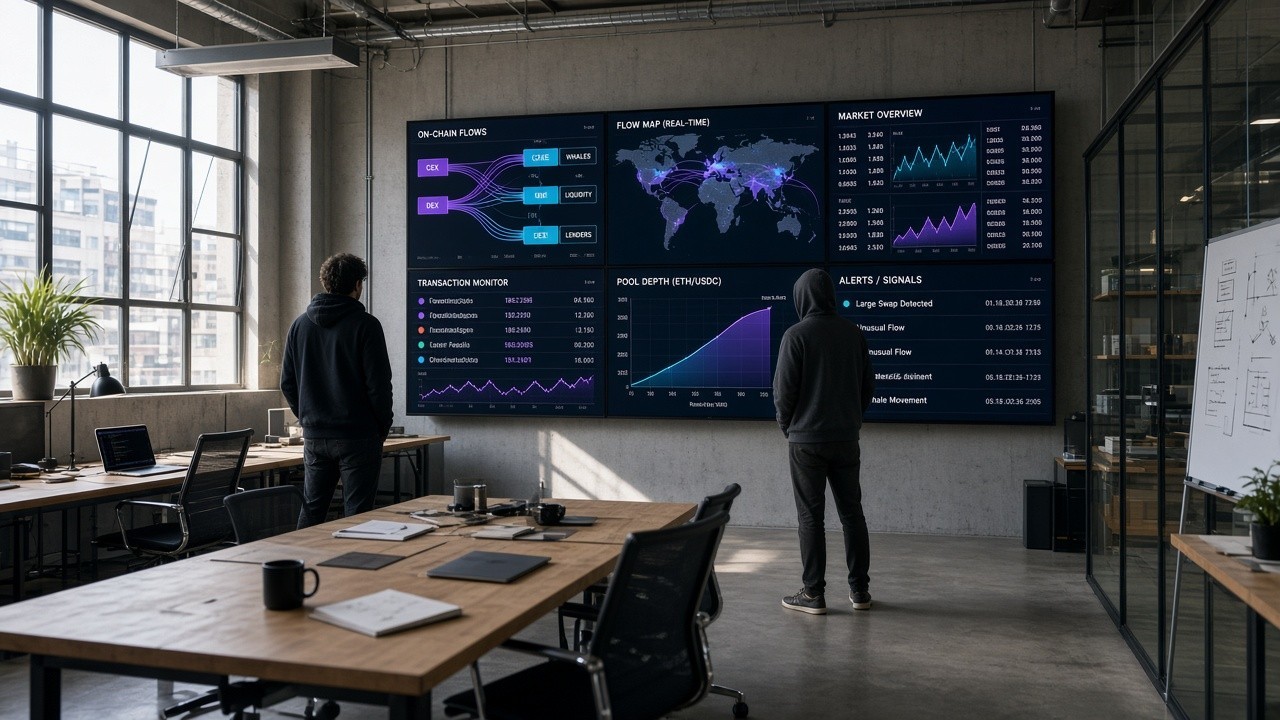
5. How to Start — and the Limits
You do not need all ten at once. Start with LunarCrush + CoinMarketCap + CryptoPanic as three read-only lines to validate the workflow, then add Dune / TradingView for deep dives and charting; leave wallet tools (DeFi Portfolio, GOAT) for last, and only with a test wallet. MCP lowers the friction of “getting data into the chat”; it does not automatically become stable returns. Still check sources and risk yourself on every output.
Disclaimer: This article only organizes publicly shared technical paths and prompt examples. It is not investment, trading, or financial advice. On-chain actions risk loss of principal; API keys, wallet authorizations, and private-key security remain the user’s responsibility.